Microsoft Teams Governance — Policy, Lifecycle, and Control at Scale

Easy and automated team creation. On your terms.​

Controlled team creation

No more Teams sprawl. Users create teams from templates defined and pre-configured by the IT.

Srtuctured teams

All the teams created from templates replicate their channel structure, data, content, and tools.

Squeaky clean workspace

Enforce your own naming rules, membership policies, approval workflows, and more.
Microsoft Teams Governance

Capabilites

Define team naming rules

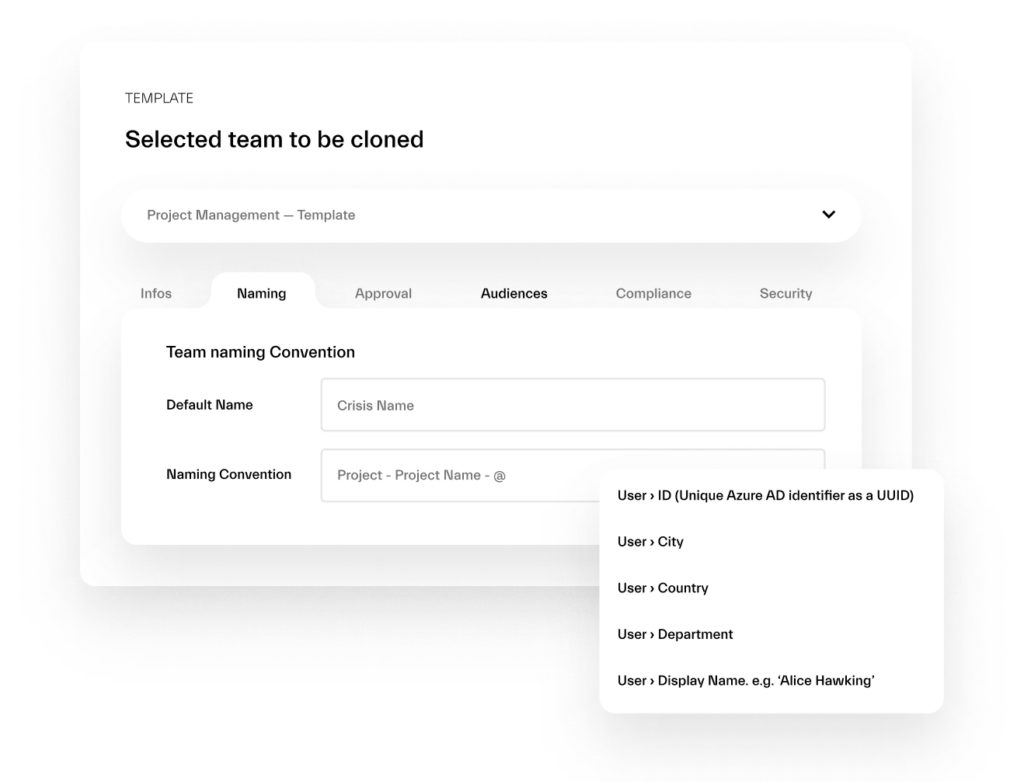
Structure your teams by applying naming policies that answer your needs: project name, department, location, user’s name, etc. Perform any scenario that fit your needs with dynamic naming rules. 

Stakeholder alignment

Get the right people to the right teams

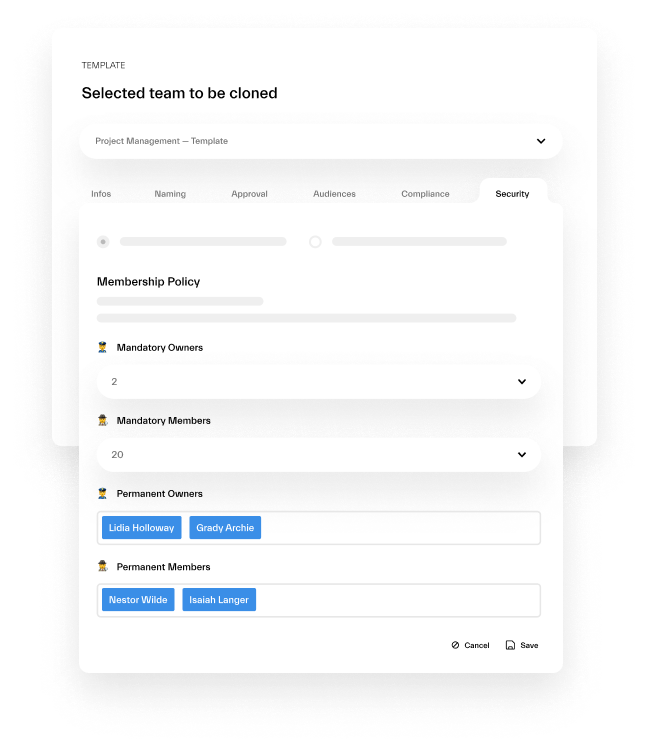
Get the right people added automatically to each new team. Add managers, admins, and senior leadership at the template level, set up the mandatory number of future teammates, and more. 

Assign approvers for team creation

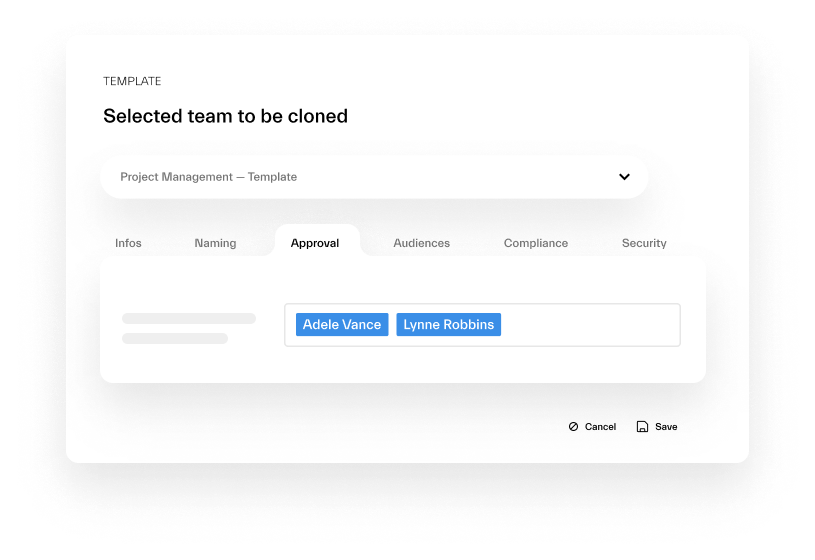
Avoid mess in your digital workspace by enabling Approval Workflow. Set up notifications each time a user sends a team creation request, approve or reject requests, etc.. 

Protect your teams' data

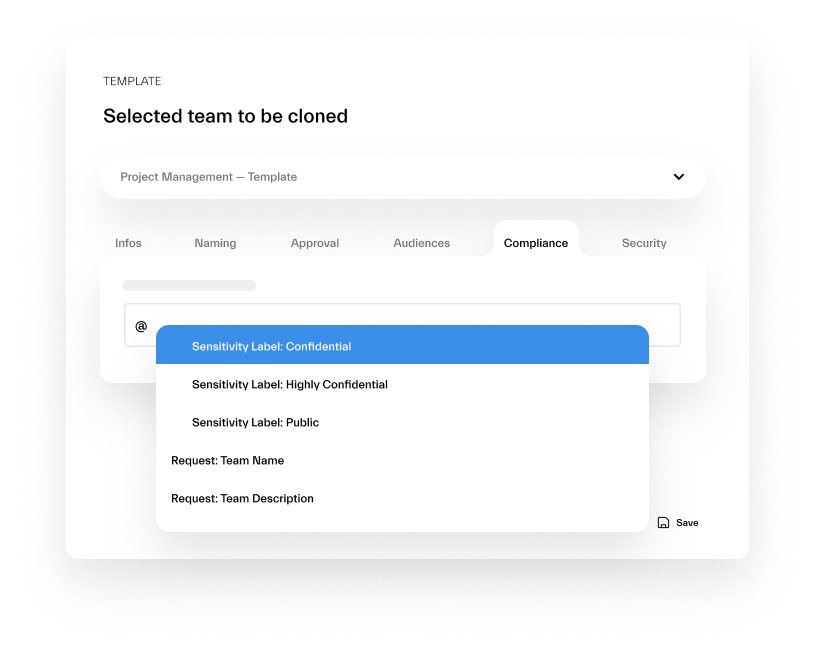
Protect your data and make sure you collaborate in secure teams with advanced security policies, sensitivity labels, and more. 

Set Up Your Own
Naming Rules

Structure your teams by applying naming policies that answer your needs: project name, department, location, user’s name, etc. Perform any scenario that fit your needs with dynamic naming rules. 

Stakeholder alignment

Get the Right People
in the Right Place

Get the right people added automatically to each new team. Add managers, admins, and senior leadership at the template level, set up the mandatory number of future teammates, and more. 

Set Up Additional
Control

Avoid mess in your working environment and control creation of each new collaborative workspace. Set up notifications each time your colleagues send a team creation request, approve or reject requests, etc. 

Protect your
Collaboration at Scale

Protect your data and make sure you collaborate in a secured team with advanced security policies, sensitivity labels, and more. 

FAQ

Yes. nBold's bulk operations allow you to attach governance templates (including naming, lifecycle, and membership policies) to teams that already exist in your tenant. Once attached, the policies apply going forward.
Some features — specifically audience targeting based on Azure AD group attributes — require that your Azure AD groups are configured in your M365 tenant. Azure AD Premium is not required for core governance features including naming conventions, approval workflows, sensitivity labels, and lifecycle management.
Yes. Governance policies in nBold are configured per template. A deal room template can have a 30-day lifecycle threshold and Confidential sensitivity label. A project workspace template can have a 90-day threshold and General label. There is no single global policy — each template type carries its own governance configuration.
If a workspace owner doesn't respond within the configured grace period, nBold proceeds with the configured automatic action — archive or delete, depending on the template's lifecycle policy. Owners receive multiple notifications before action is taken, including a final notice 24–48 hours before the action executes.